

Official Release Date: December 1, 2011
With the addition of some of the most requested new features and new cutting edge sales options, ProSelect 2012r1 continues to make ProSelect an even more valuable tool for photographers to maximize their sales results.
This page explains a few of the major changes. For a list of all changes in the new release, see the What's New section at the back of the new ProSelect 2012r1 Reference Manual.
Tilted Opening in Templates
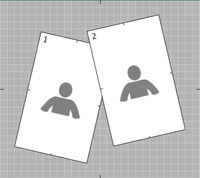
Add a whole new dimension to your designs by adding tilt to any of the openings in a template. Apply styles to tilted openings produce hi-res composite images with tilted openings.

New Template Editor
Designing your own templates is now even easier with ProSelect 2012r1's all new Template Editor. It supports edge snapping for perfect alignment, selecting of multiple openings, dragging to re-size with locked aspect ratio, rotated openings, changing the grid origin and a new Move By tool.
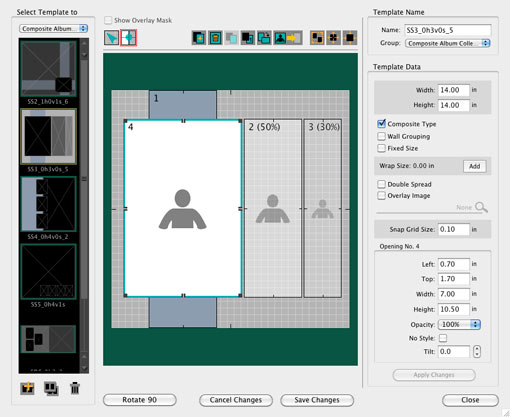
Designing your own templates is now even easier with ProSelect 2012r1's all new Template Editor. It supports edge snapping for perfect alignment, selecting of multiple openings, dragging to re-size with locked aspect ratio, rotated openings, changing the grid origin and a new Move By tool.
Easier Price List Setup
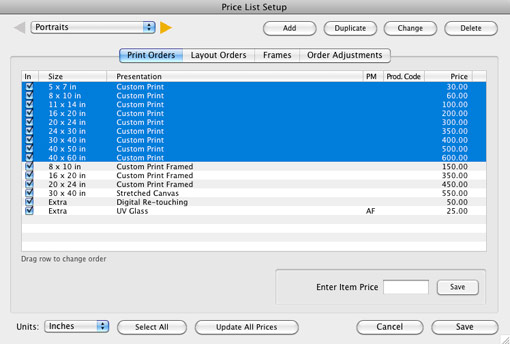
Setting up and changing your price list is now much easier with the ability to select multiple items for drag re-ordering, duplicating, enabling and changing. We have also added Save and Cancel buttons to the window so you can cancel out of any accidental changes made while updating your price list.
Automatically Calculated Prices
Print Extras, Layout Extras and Frames can now have their prices automatically calculated by size or area using one of the new Automatic Pricing Methods. Just enter a rate per inch (or cm) or square foot (or sq. m) and ProSelect will work out the price for you in the Ordering windows.
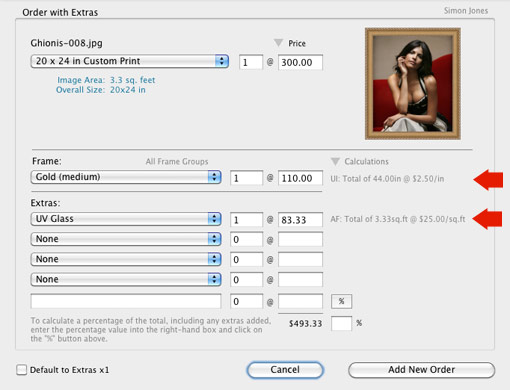
Print Extras, Layout Extras and Frames can now have their prices automatically calculated by size or area using one of the new Automatic Pricing Methods. Just enter a rate per inch (or cm) or square foot (or sq. m) and ProSelect will work out the price for you in the Ordering windows.
Frame Ordering
Frames applied to prints and layouts can now be added to the ordered item using all of the ordering windows - Place Order, Add with Extras & Custom Product windows (see above image). You can even setup to have frames added to the order using the Quick Add to Order popup menu.
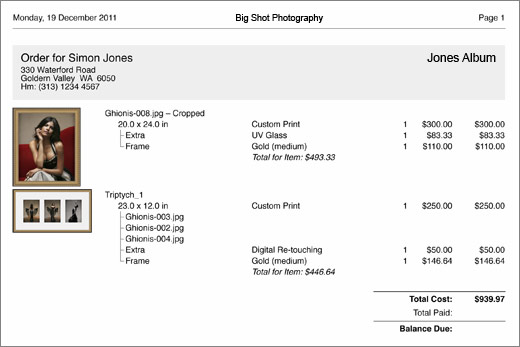
Ordered frames are “linked” to the ordered item in the Place Order window and on the Order Report (see below).
New Order Report Layout
The order report layout has been improved to make it easier to understand. You can now also optionally show ordered frames around the thumbnails and show/hide the sizes of each opening in a layout.
Working with Books Improvements
Working with Books now honors the minimum and maximum book pages setup in each Book Design. Empty placeholders are displayed in thumbnail view showing the pages required to be filled to meet the minimum number of pages.
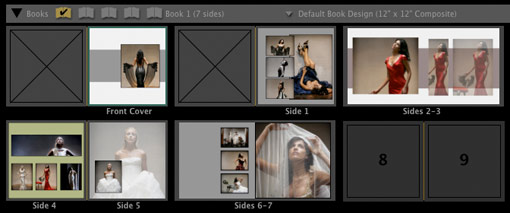
Working with Books now honors the minimum and maximum book pages setup in each Book Design. Empty placeholders are displayed in thumbnail view showing the pages required to be filled to meet the minimum number of pages.
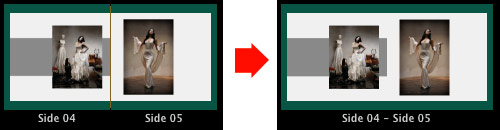
You can now join two adjacent single sided templates into one double-spread template!
Simpler sharing of ProSelect Data between computers
Easily share your ProSelect Data easily between computers though a shared folder or DropBox location. You can still use ProSelect for your presentations without needing to be able to access the shared located. ("off-line").
For more sophisticated setups you can still use the ProSelect Network Server.
Faster access to your ProSelect Resources Images
These are now cached on your local computer so, even if you are sharing your resource images across a network, ProSelect will launch and load as fast as possible.
Credit Based Pricing
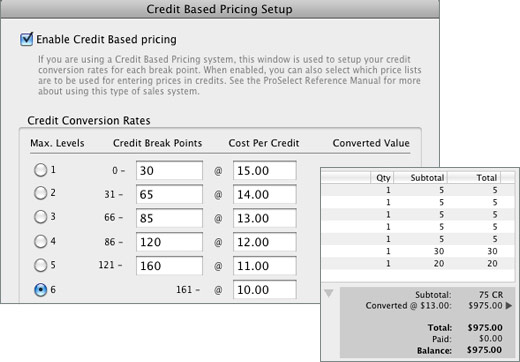
ProSelect 2012r1 now allows you to sell using a Credit Based Pricing system where all price are in credit rather than dollars. This system also provides an easy way to provide “higher value with higher spend” by offering different automatic credit conversion rates at different total credit break points. You can use the improved Update All Prices window to quickly convert your price list or lists into credits.